
Here is information on how to setup an iPhone to access your email.
- Go to ‘settings’ then mail, then accounts, then Add Account.
- Important – here choose OTHER.
- Then choose Add Mail Account.
- Then enter your name, e-mail, & password.
- Then next.
- IMPORTANT: Here touch POP at the top.
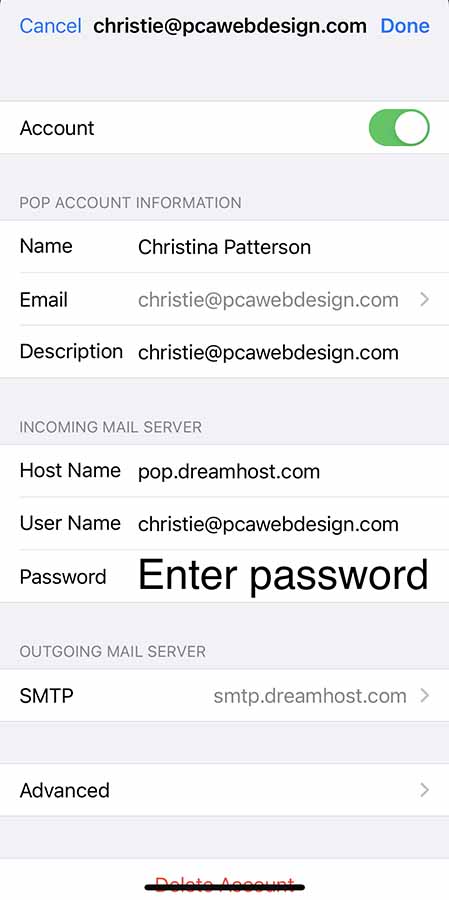
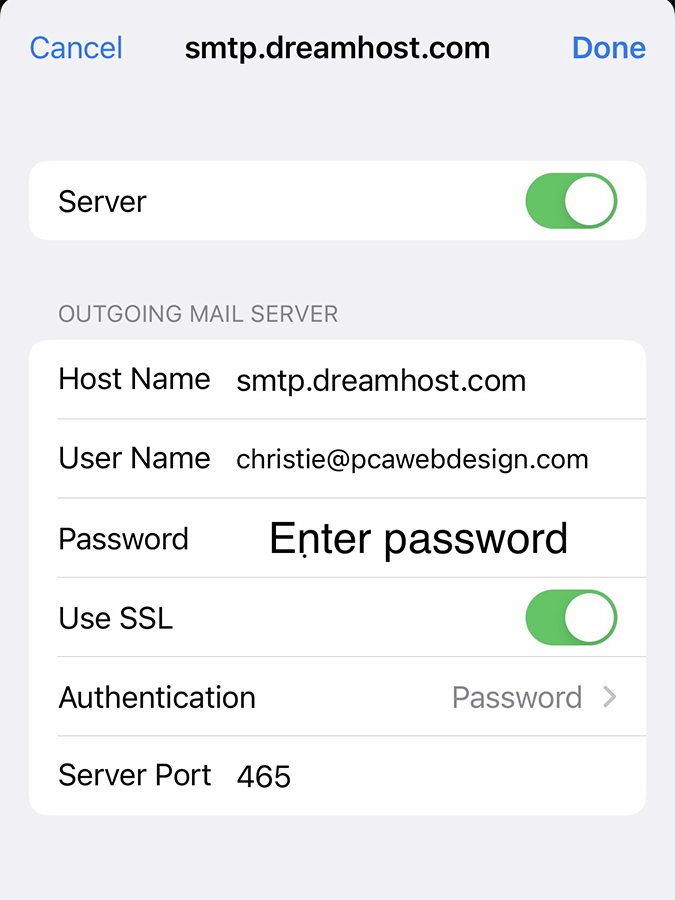
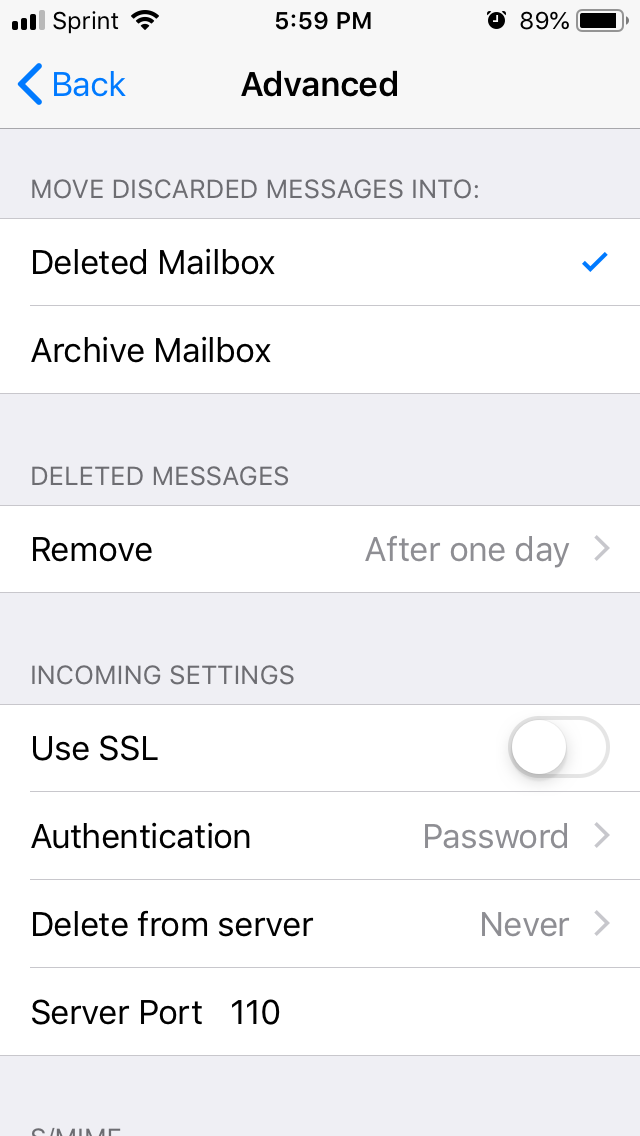
Then enter your incoming mail server info and outgoing per the example below – replacing pcawebdesign.com with your domain.
Host Name: mail.yourdomain.com (replace yourdomain.com with your actual domain name)
Username (this is NOT optional): address@yourdomain.com (the email address you’re accessing)
Password (this is NOT optional): Password for the email address.
NOTE: username and password for outgoing is NOT optional! Please fill these in.